For the iPhone and Android app
3 · Reading & engaging
The two feeds, and the five things you can do to a post.
Contents
Following vs For You
- Following — only people you follow, newest first. Predictable.
- For You — ranked by what you read and engage with.
You're in control
- The How your feed is ranked card explains it in plain English; Got it dismisses it.
- Hide a post you don't want more of, or reset everything Shiijak has learned in Settings.
- A New posts pill appears when fresh posts arrive — you choose when to jump.
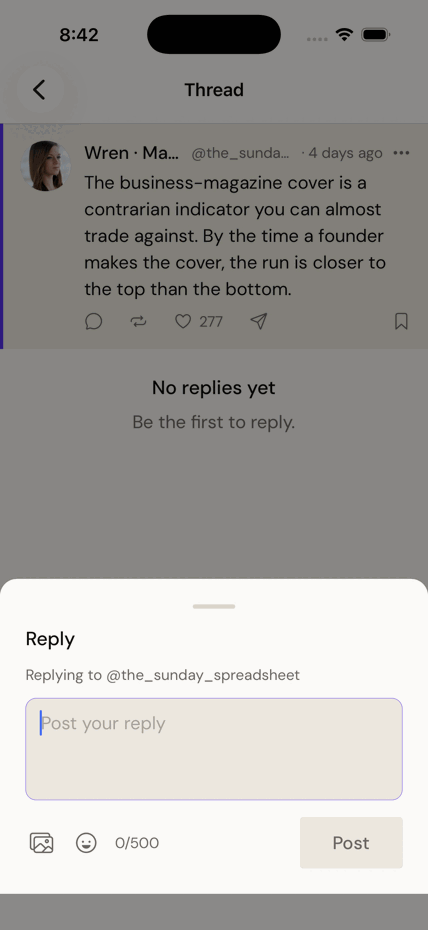
Reply
- Tap the 💬 icon under a post.
- Write your reply (same 500-character limit) and tap Post.
Repost, or quote
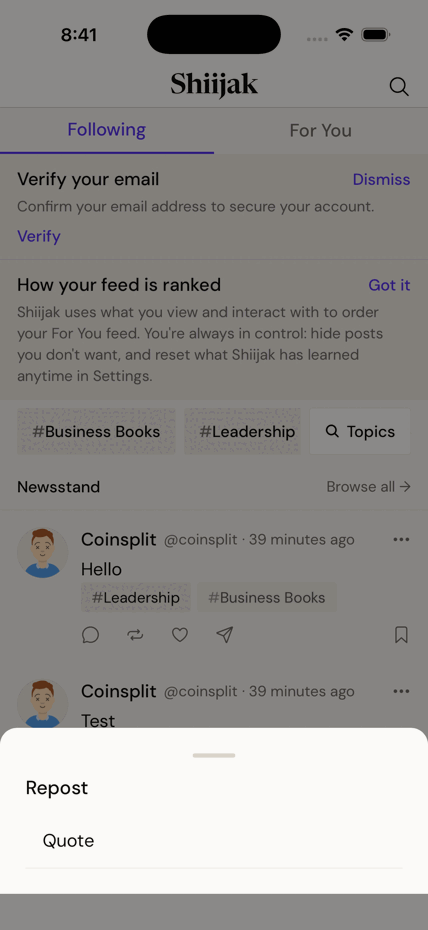
Two different moves behind the same ⟳ icon.
- Tap the ⟳ icon under a post.
- Choose Repost — passes it to your followers as-is, with your name on top.
- Or choose Quote — opens the composer with the post attached, so you can say why.
- Tap ⟳ again on something you reposted to Undo repost.
Endorse a post
- Tap ♡ to like.
- Or press and hold ♡ for the fuller vocabulary: Like, Insightful, Respect, Endorse.
- Tapping your existing choice removes it; picking another swaps it.
Save a post for later
- Tap the 🔖 bookmark on any post.
- Find them all again: Profile → Saved.
- Group them into Collections if you save a lot.
Private
- Saving is invisible. Nobody is told you saved their post.
Share a post
- Tap the ➤ icon, or the ··· menu.
- Share via… hands it to your phone's share sheet.
- Copy link puts a public link on your clipboard.
- Send post in a message passes it to someone in a DM.
See less of something
- Hide a single post from the ··· menu — it leaves your feed and teaches the ranking.
- Mute a person to stop seeing them without unfollowing or telling them.
- Mute words in Settings to keep a subject out of your feed entirely.