For the iPhone and Android app
6 · Your profile & privacy
Who you are here, who can see it, and how to leave.
Contents
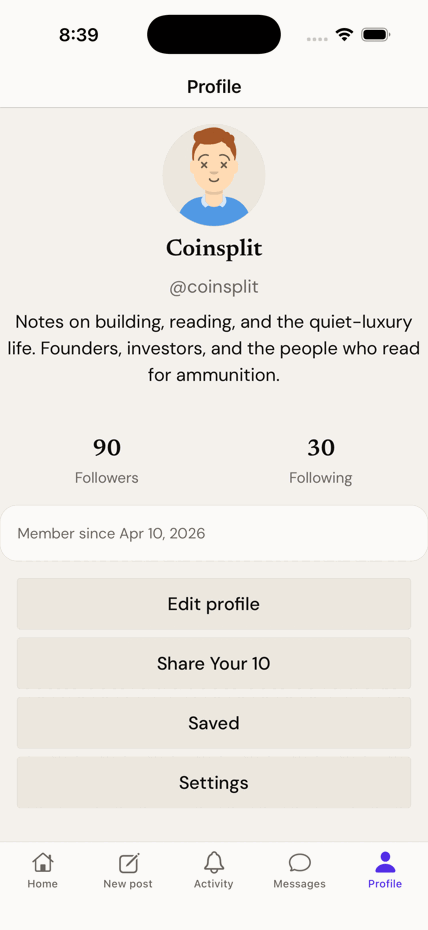
Edit your profile
- Profile → Edit profile.
- Change your display name, bio, and avatar.
Go private
- Settings → turn on Private account.
- New followers now have to ask. Their requests wait in the Activity tab, under Requests — approve or decline each one there.
What private means
- "Only approved followers can see your activity."
- Your follower/following counts are hidden from non-followers too.
Who can see a post you share
Worth knowing before you paste a link into a group chat: Shiijak has a public front door. Anything you post from the app that isn't private can be read by someone who has no account at all, if they have the link.
- Public posts and public profiles open for anyone. A link you share works for people who aren't members — they can read, but they can't reply, like or follow without joining.
- Topics, Sections, the Newsstand and Explore are readable without an account too.
- Everything of yours that matters — your feed, composing, messages, saved posts and settings — needs an account.
- If you'd rather none of this applied to you, turn on Private account above.
Nobody can probe for you
- To a stranger, a private account, a deleted one, one that has blocked them, and one that never existed all produce the identical page. There is no way to test whether a given person is on Shiijak.
Share Your 10
Ten things you'd vouch for, in each of eight categories — what you read, watch, listen to and love. It's a taste résumé, not a follow list.
- Profile → Share Your 10.
- Pick a category: Books, Magazines, Artists, Homes, Vacation Spots, Quotes, Movies, Games.
- Add entries (each up to 200 characters, with an optional note), reorder them, and save.
Limits
- Ten items per category — the cap is the point.
- Your lists sit on your profile and follow the same privacy as the rest of it.
Block someone
- Open their profile → the ··· menu → Block.
- Blocking is mutual and silent: you both vanish from each other's view, and they aren't told.
- Muted accounts and muted words have review lists in Settings. Blocks don't — to unblock, go back to that person's profile.
Delete your account
- Settings → Delete account (bottom, in red).
- Read what goes and what stays. Posts, likes, reposts and your follow graph are removed; your username is retired for good.
- Re-enter your password (skipped if you only ever signed in with Google or Apple).
- Type your @username exactly to arm the button, then confirm.
The 30-day grace period
- You have 30 days to change your mind: just sign back in and choose Keep my account. No password gymnastics.
- After 30 days it's permanent, with no recovery path.
- Messages you sent stay in the other person's inbox, attributed to a deleted account. You can't reach into someone else's mailbox.